
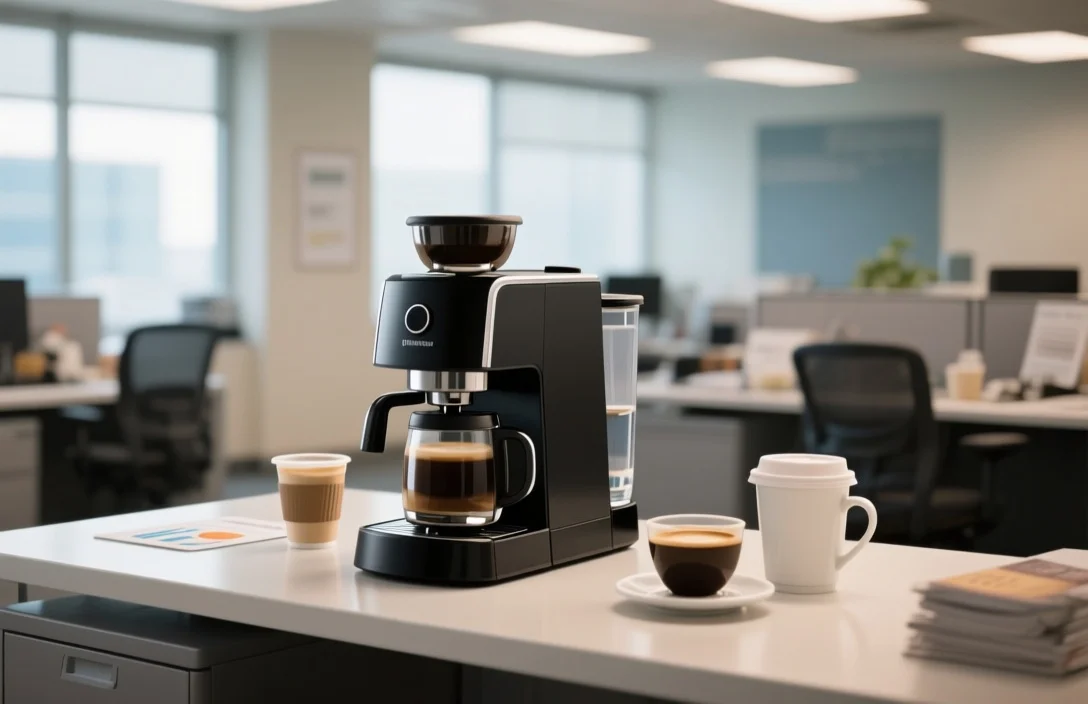
A good office coffee setup is the one people can actually live with. It gives you steady coffee, known costs, and a maintenance plan that does not depend on one unusually organized employee. I would start there, not with the fanciest machine on the market.
The setup you choose should match three things: how many people drink coffee each day, what kind of coffee they prefer, and how much time or money the office is willing to spend on cleaning, restocking, and service.
What a workable coffee station does on an ordinary morning
A workable office coffee setup handles the morning rush without turning into a queue. It keeps coffee fresh enough for your team, avoids constant machine failures, and makes it clear who is responsible for supplies and cleaning.
That usually means more than just buying a brewer. You need a machine, a way to source coffee and other supplies, a maintenance routine, and a simple policy for who pays. Free, subsidized, and pay-per-cup setups all work. The mistake is not deciding.
Picking the machine type without overcomplicating it
The main machine categories each solve a different problem.
Single-serve pod machines are easy. They require almost no training and give each person a consistent cup. The trade-off is supply lock-in unless the machine accepts more generic pods.
Commercial drip brewers and large-capacity home-style brewers work well when the office wants pots of coffee for meetings or for a steady morning pour. They are a good fit if you want lower labor per cup and can live with the quality depending on freshness and how well someone maintains the machine.
Bean-to-cup super-automatic machines are for offices that want espresso drinks, lattes, or cappuccinos without hiring a barista. They have built-in grinders, which helps freshness, but they also have more parts to clean and service.
Airpot brewers and thermal carafes make sense when coffee needs to stay drinkable for several hours. They reduce the need to brew again and again.
Manual options, like pour-over stations or a French press, can work for small teams. I would only choose them if someone is willing to own the routine. Quality can be excellent, but the process is hands-on.
The practical trade-offs are usually footprint, water hookup, power draw, and waste. Counter space is often the limiting factor in real offices. A machine that looks sensible on paper can be annoying if it crowds the sink, blocks the microwave, or takes too long to clean.
How much coffee you actually need
Before buying anything, estimate peak demand. That matters more than average daily use.
The busiest window is usually the morning, often before 9:00 AM. That is where lines form and where a machine either keeps up or falls behind. I would map a normal weekday in blocks, before 9:00 AM, mid-morning, lunch, and mid-afternoon, then estimate how many cups you need in the busiest 30 to 60 minutes.
For pod machines, look at how many cups can be made per hour at peak. For drip and airpot systems, look at pot size and how often you need to refill. For super-automatic machines, think about both output and cleanup. Some can make drinks back-to-back, but they still need daily cleaning time, often 5 to 10 minutes.
Leave a buffer above today’s demand. People leave, people join, and visitors show up. If downtime would be a problem, I would keep a backup option around, such as a small pod machine or a spare carafe.
Coffee, pods, milk, and the rest of the supplies
You also have to decide how the coffee gets into the office.
Whole beans give the best freshness if you have a grinder. Pre-ground coffee is simpler. Pods are the easiest to manage and cut down on training.
Subscriptions can reduce ordering work, but they also lock you into a schedule and usually into a brand. If you can, ask for a trial period or a short commitment before signing up.
When I compare vendors, I look at three things first: variety, delivery reliability, and billing clarity. Variety matters if your office has different taste preferences. Delivery reliability matters if you do not want to run out on a Monday morning. Billing clarity matters because shipping fees, restocking charges, and minimum orders can quietly push costs up.
Do the same thing for supplies beyond coffee. Filters, cups, lids, stirrers, milk, non-dairy milk, napkins, and descaler should all have a reorder point. A simple spreadsheet is enough for many offices. The point is not sophistication. The point is knowing when to reorder before you are out.
If your workplace cares about waste, plan for it from the start. Compostable pods, recyclable packaging, and reusable mugs can all help, but only if the disposal routine is clear. A compost bin next to the station does more good than a sustainability memo no one reads.
Cleaning and maintenance are part of the purchase
This is where many office coffee setups fall apart.
Daily care is usually simple: empty grounds, clean trays, wipe the counter, refill milk or sugar, and check water. Weekly care may include descaling, changing filters, and deeper cleaning of brew groups or carafes.
Someone has to own that work. A rotating schedule can work. So can a facilities person or office manager. What does not work is hoping people will notice a dirty machine and handle it on their own.
I would put the cleaning steps in writing and post them at the coffee station. Keep them short. Include what happens when a task is skipped, and who gets called if the machine starts leaking, tasting off, or showing an error code.
If the machine is commercial and downtime is expensive, a service plan may be worth the cost. If you buy one, make sure you know what is covered. Some plans include parts and labor. Others do not.
A small toolkit nearby also helps. Basic replacement parts, such as fuses, gaskets, or common seals, can save a workday when the fix is minor.
What it will cost over time
The real budget is not just the machine. It is the recurring spend.
I would break ongoing costs into four buckets: coffee and consumables, milk and perishables, utilities and water, and service or replacement parts. Then I would track actual use for at least a month before locking in a subscription or long-term plan.
That matters because offices often guess wrong about volume. A plan built for 40 cups a day feels different when usage is 90.
Ask vendors about delivery cadence, minimum orders, shipping charges, and what their service contract includes. Some contracts cover labor but not parts. Others are broader. If you are comparing a lease with a service plan against buying outright, make sure the comparison uses the same assumptions.
If management wants tighter control, a per-person budget or prepaid coffee card system can work. It usually reduces waste, but it also adds friction. People notice that.
A simple rollout plan that avoids surprises
If you are setting up coffee for the first time, I would keep the rollout practical.
- Survey how many people drink coffee, when they drink it, and what styles they prefer.
- Choose a machine type that fits your peak demand, counter space, and maintenance tolerance.
- Request samples or short-term terms from coffee and milk vendors.
- Write a cleaning and restocking schedule, then assign primary and backup owners.
- Set purchasing and billing rules so people know how to request refills or report problems.
- Run the setup with a small group for 2 to 4 weeks.
- Adjust supply timing, training, or machine choice before rolling it out fully.
Each step should have an owner and a deadline. That sounds ordinary because it is. Most office coffee problems come from leaving the details vague.
Buy, lease, or bundle everything together
There are three common ways to handle procurement.
Buying outright gives you control and often lowers long-term cost, but it requires a larger upfront spend.
Leasing shifts the cost to monthly payments and often includes service. That can make budgeting easier.
A subscription bundle combines equipment, coffee, and service in one relationship. It is convenient, but it can be less flexible if your needs change.
Here is a plain comparison.
| Name | Price / Key Spec | Best For |
|---|---|---|
| Pod single-serve (commercial-grade) | Price tier: Budget to Mid; Key spec: per-cup convenience, small footprint | Offices prioritizing convenience and low training |
| Commercial drip brewer / Airpot system | Price tier: Mid to Commercial; Key spec: large-batch output, thermal holding | Medium-to-large teams wanting low per-cup labor |
| Bean-to-cup super-automatic | Price tier: Mid to Commercial; Key spec: integrated grinder, espresso + milk foaming | Offices that want espresso-style drinks without barista skill |
| Home-style brewer (upscaled) | Price tier: Budget; Key spec: low footprint, lower durability | Small teams or satellite offices |
| Lease/subscription bundle | Price tier: Monthly payments; Key spec: equipment + supplies + service options | Teams that prefer predictable billing and included service |
I would ask every vendor for a trial period, a written list of what is included in support, and a list of consumables that are not covered. Service turnaround times should be in writing too.
The mistakes that cause the most trouble
The worst office coffee setups usually fail for ordinary reasons.
The first mistake is buying a machine that nobody wants to clean. If it needs attention every day, somebody has to own that work.
The second is ignoring taste. If the office likes different roasts or different drink styles, one narrow setup will create waste. People will bring their own coffee or avoid the station altogether.
The third is signing a long contract before testing the setup. If usage is different from what the vendor assumed, you can end up stuck with the wrong quantity, the wrong machine, or both.
The fourth is underestimating supply logistics. Running out of milk or pods leads to emergency purchases, which usually cost more.
The fifth is forgetting about waste disposal. Used pods, wet grounds, and milk packaging all need a place to go.
I would also keep a small backup option on hand. Instant coffee, a spare drip brewer, or a basic pod machine is enough to keep the office moving during a repair.
Waste, storage, and food-safety basics
If sustainability matters to your company, choose the least wasteful option that still fits how the office works. Whole-bean coffee and reusable mugs usually create less packaging waste than pods. But only if people actually use them.
For milk and other perishables, treat storage seriously. Keep them refrigerated and set a clear discard window once opened. Label the opening date. That is simple, and it prevents confusion.
If your water is hard, expect more descaling. A filtered water source can help, and in some offices it is worth planning for that upfront rather than dealing with scale buildup later.
A clear bin system helps too. Recycling, compost, and landfill should be easy to tell apart. The coffee station is not the place to make people guess.
When the machine breaks
Every office coffee setup needs an escalation path.
Put the vendor’s support information, warranty details, and a local contact in one visible place. When something goes wrong, the first steps are usually basic: power cycle the machine, check for clogs, and confirm the water supply.
If the machine shows an error code, photograph it before anyone starts pressing buttons. That saves time when you open a service ticket.
For major failures, switch to the backup option. Do not assume the repair will happen the same day. If the same problem keeps happening, that is usually a sign the machine does not fit the office or the service plan is too thin.
FAQ
How much space does an office coffee station need?
A compact setup with a pod machine and supplies can fit in about 3 to 4 feet of counter space. Super-automatic machines and commercial drip systems usually need more room, plus nearby storage for supplies.
Should I choose pods or whole-bean coffee?
Pods are easier and need less training. Whole beans make more sense if freshness matters and someone can handle daily grinding and cleanup. A hybrid setup covers more preferences, but it also adds complexity.
Is it better to lease equipment or buy it?
Lease if you want predictable monthly costs and included service. Buy if you want more control and may save money over time. I would compare the two using your actual expected usage, not a guess.
How often should the machine be cleaned?
Daily cleaning of removable parts is standard. Descaling and deeper cleaning depend on the machine and your water hardness. Follow the manufacturer’s schedule and post it where people can see it.
What should we keep as a backup?
A small pod machine, a basic drip brewer, or instant coffee is usually enough for short-term downtime. Larger offices may want a redundant brewer so service problems do not stop coffee for the whole day.
The practical next
Start with your actual morning demand, then choose the machine type that fits it. After that, set the supply plan and the cleaning plan before you buy.
That order matters. It keeps the setup from turning into an expensive habit with no owner. If you pilot the system for a few weeks, you will usually see quickly whether the machine, the supply cadence, and the maintenance routine make sense for the office.

- Espresso Tastes Watery? 10 Common Causes and How to Fix It - October 23, 2026
- 10 Common Coffee Equipment Cleaning Mistakes and How to Avoid Them - October 23, 2026
- 17 Common Coffee Grinder Problems and How to Fix Them - October 23, 2026