
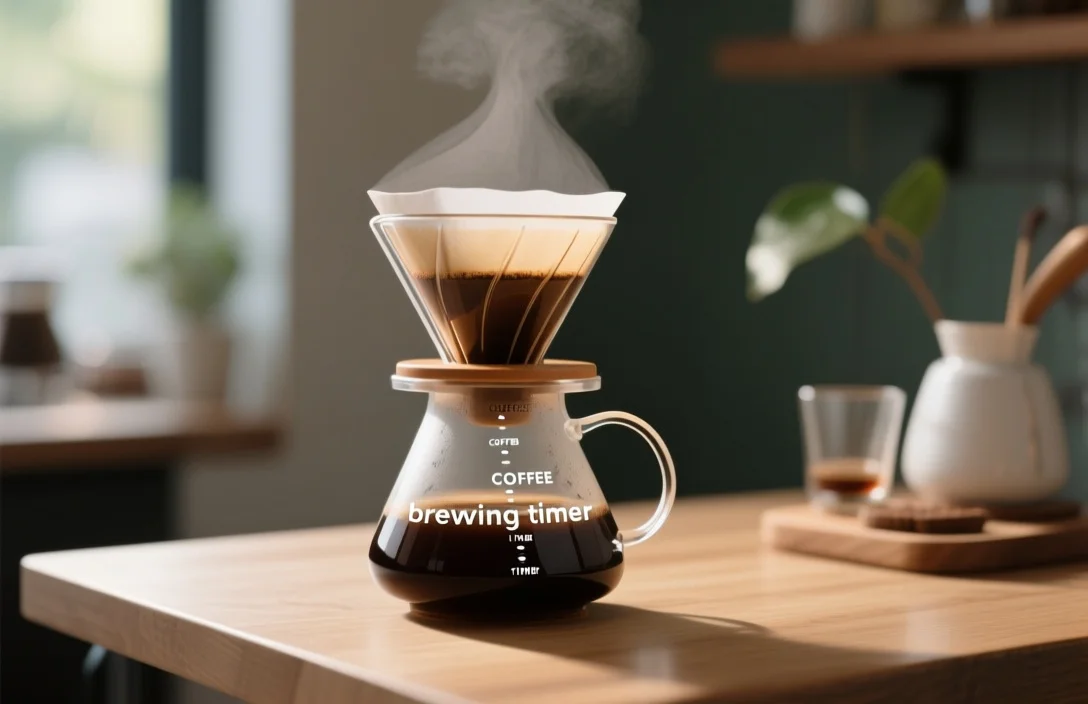
A coffee brewing timer is a simple tool that measures and enforces the exact seconds you allot to bloom, pour, and total extraction during a brew. Using a coffee brewing timer – whether on your phone, a dedicated kitchen timer, a scale with a built-in stopwatch, or an app tied to a smart kettle – helps you repeat a recipe precisely and diagnose what to change when the cup tastes sour, weak, or bitter.
What a coffee brewing timer is and why it matters
A practical definition: a coffee brewing timer records the elapsed time for discrete brewing phases and usually supports lap/interval timing so you can mark bloom, pulse pours, and total brew time. Many timers also pair with measurements (weight, volume) but the core purpose remains the same – reduce variability in extraction by controlling time.
Extraction chemistry ties directly to time. Shorter contact times reduce dissolved solids and acids; longer times extract more bitters and body. Controlling time gives you a lever alongside grind size, brew ratio, and water temperature. Measurement without timing leaves one variable uncontrolled, which makes recipe adjustments guesswork instead of evidence-based changes.
Baristas and focused home brewers use timers to record and re-run recipes with a clear experimental approach. Writing down bloom time, pour cadence, and total time turns a vague memory of “it took about a minute” into repeatable data that reveals how changes in grind or water temperature affected the cup.
How timing changes a brew (mechanics and cause)
Coffee extraction proceeds in stages: initial wetting (bloom), rapid soluble extraction, then slower extraction of heavier compounds. Timing segments map to these stages and let you target desirable flavor bands. A brisk pour coupled with a short total time highlights acidity and floral notes; a longer total time can produce fuller mouthfeel with more bitters.
Control of flow rate matters because it alters how water interacts with grounds over the timed interval. Pour-over brewers often manipulate flow rate to keep the bed submerged and to influence total contact time without changing grind. Espresso timing is a different discipline but still depends on seconds; changing the shot time by a few seconds alters perceived sweetness and crema.
Repeatable timing matters most when you are tuning one variable at a time. Adjust grind coarseness while holding bloom and total time constant and you can attribute taste changes to that single variable. Without a timer, inferred causality breaks down and iterative improvements stall.
Types of timers and how they differ
Phone apps, dedicated hardware timers, scales with built-in timers, and integrated smart-brewer timers each solve the timing problem with different trade-offs. Comparing the form factors side by side shows the key differences: portability, integration with weight measurement, ease of reading at an angle, and automation of multi-step recipes.
Phone app timers usually provide free or low-cost interval timing and recipe saving. They are convenient and portable but depend on screen visibility, battery life, and sometimes distracting notifications. Dedicated kitchen or brewing timers are simple, tactile devices that sit beside equipment and resist accidental touchscreen taps. A scale with a built-in timer removes the need to run two devices and prevents timing errors during pours because you can watch weight and seconds on a single display.
Smart brewers and kettles with app-linked recipes automate timing and often initiate programmed pour schedules. Those systems reduce the manual work of pouring and timing but lock you to a specific ecosystem and firmware updates. Analog stopwatches and simple egg timers still work for many brewers, and their simplicity reduces failure points, at the cost of finer interval control.
| Name | Price / Key Spec | Best For |
|---|---|---|
| Phone app timer | Free or app-price; interval/lap support; recipe saving | Travelers and brewers who want recipe logs and portability |
| Dedicated brewing timer | Budget to midrange; large digits; rugged buttons | Home brewers who want a no-friction countertop tool |
| Scale with timer | Midrange; combined weight and stopwatch display | Precision-oriented pour-over brewers tracking brew ratio |
| Smart brewer / kettle with app | Mid to premium; automated pour schedules | People who want automation and hands-off repeatability |
| Analog stopwatch | No power; single-button control | Minimalists or backup timer for classes and demos |
How to use a brewing timer
Start this workflow the first few times you try a new recipe and then use it as your baseline for adjustments. Follow each numbered step as written; every step name begins with a verb so you can read a checklist while holding a kettle or bag of beans.
- Zero the timer and tare the scale.
- Weigh coffee and water to the recipe’s brew ratio.
- Heat water to the target temperature and bring the kettle into position.
- Start the timer and pour just enough water to saturate the grounds for bloom.
- Pause the pour and watch the bloom interval on the timer; record the bloom time.
- Resume pouring in pulses while monitoring weight until you reach the target water mass.
- Stop the timer at the declared end of brew and note the total time.
Repeatability improves when you keep three variables fixed across tests: brew ratio (grams of water per gram of coffee), water temperature, and total time. Change only one variable at a time – for example, adjust grind size while replicating bloom and total time – and use the timer logs to correlate taste changes back to the single change.
Choosing a coffee brewing timer: features to compare
Compare timers by the practical functionality you will use. After comparing the main options side by side, prioritize ease of reading, interval/lap capability, recipe saving, weight integration, durability around steam and hot water, and whether you need wireless syncing.
Ease of reading means a high-contrast, large-digit display visible from typical pour angles. Interval or lap timing allows you to tag bloom, each pour pulse, and rinse phases without starting a new timer. Recipe saving is convenient if you switch beans but want to keep brew times consistent. Weight integration – a timer built into a scale – eliminates the cognitive load of tracking both weight and seconds on separate devices.
Durability matters if you brew on a metal countertop near a sink or use your device in a busy café environment. Waterproof or water-resistant housings, splash-proof buttons, and rubber feet for stability are features that extend the device’s useful life. Battery type is a practical consideration: replaceable coin cells for years of use or rechargeable batteries that require a charge cycle.
Smart features that may justify higher cost include automated pour schedules that prompt you with pour volumes, Bluetooth logging of brew sessions, and the ability to share or backup recipes. Those features improve convenience but add complexity and potential obsolescence as apps evolve.
Practical trade-offs
Portability trades off against display size and durability. A pocket app wins portability while a dedicated countertop timer wins visibility and tactile control. Precision trades off against simplicity. A combined scale/timer reduces human error from juggling two devices but tends to cost more and requires calibration for accurate weight measures.
Convenience often means automation. Smart kettles and brewer integrations hand off timing and pour control to electronics. That reduces user skill requirements but makes the system dependent on firmware and app maintenance. Manualists who like control over pours will prefer a simple timer and separate scale because the tactile feedback of slow pours matters for micro-adjustments in flow rate.
Evaluate where you brew most often. Travelling, camping, or office contexts favor phone apps and compact timers. Dedicated home brew setups that sit permanently on a counter benefit from a scale with timer or a large dedicated timer.
Common mistakes and how to avoid them
Mistake: timing only total brew time without logging bloom and pour intervals. Fix: use lap functionality or write timestamps to identify which phase produced the noted flavor. Brewing events concentrated in a single total-time number leave you guessing which phase to change.
Mistake: relying on a phone and having notifications interrupt the timer or lock the screen. Fix: enable Do Not Disturb or use a dedicated timer; test notifications off before a critical brew. Mistake: reading numbers from across the counter and misreporting seconds. Fix: choose a device with a high-contrast, large-digit display or a scale with combined readout.
Mistake: failing to account for pre-infusion gravity pulls in devices that bleed water slowly through the bed, which shortens effective contact time. Fix: watch the actual elapsed time from first water contact to stopping the pour and record it accurately rather than assuming the sharp pour stop equals end of extraction.
Mistake: obsessing over second-level differences for larger problems like incorrect grind or stale coffee. Fix: treat timing as one control among grind size, water temperature, and coffee freshness; fix the largest error first before micro-optimizing seconds.
which timer setup fits your needs
Scenario: commuter brewing a single cup at work. A phone app wins because it’s free, records recipes, and fits a pocket. Scenario: home pour-over ritual for two people where consistency matters and pours are weight-based. A scale with a built-in timer suits this use case because you can watch mass and seconds in the same glance and the unit stays on the counter.
Scenario: teaching a class or demonstrating in a café. A dedicated large-digit timer or stopwatch is preferable because it’s visible to a group and resilient to spills. Scenario: someone who wants hands-off automation and owns multiple devices. A smart brewer or kettle that runs programmed pours reduces manual labor and ensures identical pours across sessions.
Multiple-batch brewing, such as a pot for guests or catering, often benefits less from detailed pour timing and more from volume control and flow – use a standard kitchen timer or programmable hot plate timer to keep batch intervals consistent.
How to log experiments and iterate using a timer
Start a brew log that captures five core fields: coffee (bean and roast date), grind setting or aperture, water temperature, brew ratio (mass), and timed phases (bloom, pour pulses, total). After a brew, rate the cup on three simple axes: sweetness, acidity, and bitterness. Record any notable mouthfeel descriptors.
Compare entries by holding three variables constant and changing the fourth; the timer lets you isolate the role of contact time in your tasting notes. Compare two entries in the log and ask which timed change correlates with better sweetness or less astringency. Use that insight to adjust in 10-20% increments of the variable you are tuning – for example, adjust grind size a single step and repeat the same timed recipe.
Lists help. Use this checklist before each brew:
- Confirm timer is reset and visible.
- Tare the scale if you are using one.
- Pre-wet paper filters if required.
- Start the timer at first water contact, not when you pick up the kettle.
- Note bloom and total time in the log immediately after pouring.
how much to spend and where to verify specs
Decide how much you value integration versus simplicity before you pick a price target. A low-cost dedicated timer or phone app covers 80% of brewing needs for home users. A midrange scale with timer is worth the cost if you care about precise ratios and single-gram accuracy. Premium smart brewers bundle timing with automated pour control, convenience features, and app logging at higher cost.
Product models and software features change rapidly; confirm current specs on manufacturer pages before purchase. Check for an IP splash rating if you brew near water, for battery type and life, and for screen size/contrast. Read recent reviews that include tests for lap accuracy and long-term reliability.
Troubleshooting timing problems
Symptom: your recorded total time is within recipe targets but the cup tastes over-extracted. Possible cause: grind too fine, causing slower flow despite correct seconds. Action: coarsen the grind and keep the same timed recipe; then note how the cup changes.
Symptom: brew time drifts between runs despite identical pours. Possible cause: inconsistent pour aggressiveness or an uneven bed that channels water. Action: adjust pour technique to keep the bed level, and use pulse pours to even saturation. Symptom: timer stops suddenly or screen goes dark. Possible cause: battery saver or notification lock on phones. Action: disable auto-lock or use a dedicated device.
Symptom: you cannot reproduce a previous good cup even with identical timed metrics. Possible causes include stale beans, inconsistent water temperature, or unmeasured variables such as kettle spout shape affecting flow. Action: verify bean freshness by roast date, measure water temperature, and swap in the same equipment.
FAQ
How precise does a coffee brewing timer need to be?
A one-second resolution is sufficient for most pour-over and immersion methods; espresso and some specialty techniques pay more attention to even half-second differences. Buy a timer that supports lap timing and shows seconds clearly. If you pair timing with a scale, you get better control over pour pacing than timing alone.
Can my phone replace a dedicated brewing timer?
Yes. Many phone apps support interval timing and recipe logging. Use Do Not Disturb to avoid interruptions and confirm that the app keeps the screen active or provides clear audible cues. Pick an app that supports lap or split timers to capture bloom and pour phases.
Should I tie my timer to weight measurements?
Combining a timer with a scale is the most efficient way to control both brew ratio and contact time simultaneously. A scale that shows seconds beside weight removes the cognitive load of juggling two displays and reduces human error during pours.
Is a smart brewer with automated timing worth it?
Smart brewers remove manual pour variability and save time. They are worth it for someone who values repeatability and convenience over manual control. Expect to trade some hands-on flexibility and to stay within the manufacturer’s ecosystem.
How do I record brew times for later comparison?
Keep a simple log (notebook or spreadsheet) with fields for coffee, roast date, grind, water temperature, brew ratio, bloom time, pour pulses, and total time. Add a brief tasting note and a numerical rating to make later comparisons faster and more objective.
Closing recommendation
If you want repeatable pour-over results with minimal fuss, get a scale that includes a built-in timer and start logging bloom and total times immediately. For travelers and budget-conscious brewers, a phone app with lap timing is an excellent first step; verify the app keeps the screen active or gives audible cues. Confirm current product specs and recent user reviews before buying, then run three controlled brews, record your timings and tasting notes, and iterate from that reliable baseline.

- Espresso Tastes Watery? 10 Common Causes and How to Fix It - October 23, 2026
- 10 Common Coffee Equipment Cleaning Mistakes and How to Avoid Them - October 23, 2026
- 17 Common Coffee Grinder Problems and How to Fix Them - October 23, 2026