
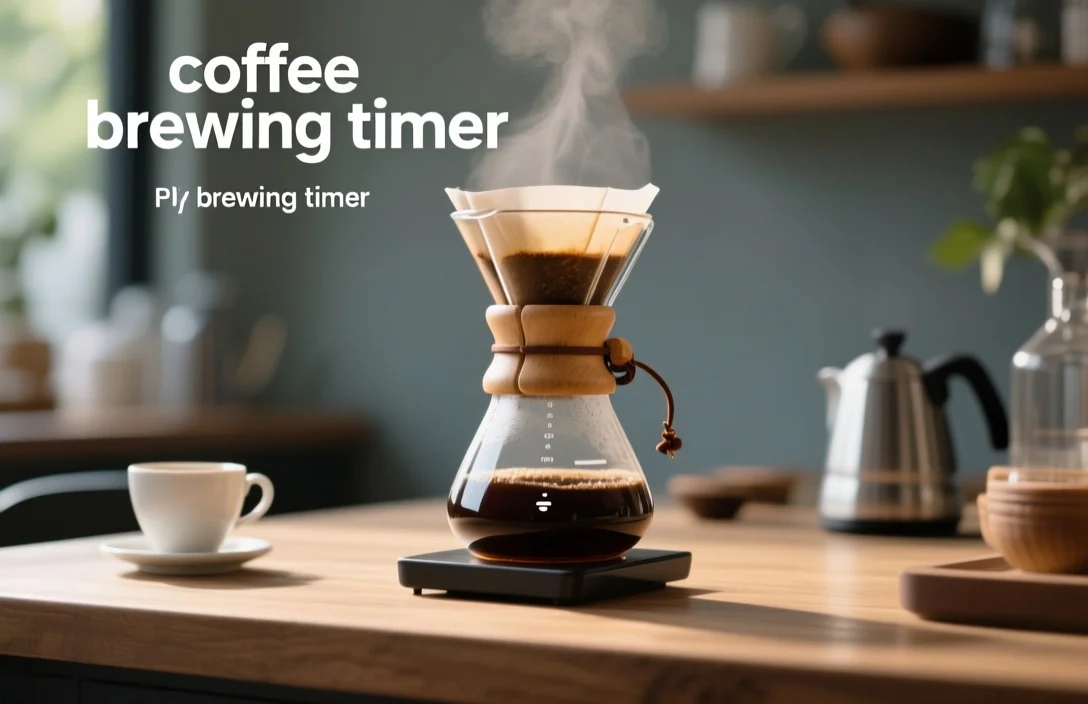
A coffee brewing timer records elapsed time for each step of a brew so you can control extraction time and repeat recipes reliably. Most home brewers use a timer to manage bloom, pouring segments, and total contact time for pour-over and immersion methods.
What a coffee brewing timer does and why you should use one
A coffee brewing timer gives you a measurable anchor for actions that otherwise depend on feel and memory. Measuring seconds for bloom, pour segments, and drain time reduces variation between brews and makes deliberate changes to grind size, dose, or pour rate meaningful.
Control over extraction time matters because soluble extraction is time-dependent: shorter contact tends to produce brighter, under-extracted flavors while longer contact can push toward bitterness. Precise timing pairs with other variables – grind size, brew ratio, water temperature, and pour rate – to shape the final cup. Using only a stopwatch without recording weight or recipe details makes it hard to repeat small adjustments that improved a brew.
After comparing the common approaches side by side, the most useful timers are the ones that match what you actually change during a brew. Scale-integrated timers keep weight and time in the same place, standalone kitchen timers are fast and cheap, and app timers trade tactile simplicity for recipe storage. Your choice should follow what you adjust most – weight, time, or pour rhythm.
How brew time changes extraction and flavor
Extraction does not occur at a single fixed rate; it evolves during the brew. Early seconds of contact liberate acids and volatile aromatics; later seconds extract more bitters and heavier compounds. Dialing in an appropriate overall extraction window helps balance clarity, body, and bitterness.
Pour rate and grind size interact with time in predictable ways. Coarser grind requires longer contact time to reach equivalent extraction; finer grind requires less. Pulse pouring changes local saturation and can create a different extraction profile than continuous pouring, even when total time remains constant.
Bloom time – the initial brief pause after pouring a small mass of water to release CO2 – affects how evenly the slurry wets during subsequent pours. A controlled bloom followed by timed pulses can improve uniformity for single-cup pourover methods. Tracking those sub-intervals with a timer highlights which segment changes yield the biggest sensory differences.
Types of coffee brewing timers and which to pick
A practical classification separates timers into four groups: standalone digital timers, scale-with-timer (brew scales), smartphone app timers, and integrated machine timers (for espresso or automated brewers). Each group has trade-offs in precision, workflow, and repeatability.
Standalone devices are straightforward and fast to start. They are useful for roasters’ shops or home setups where a separate scale is already present. Scale-integrated timers put weight and time together, removing the need to juggle tools during pours. Apps store recipes and step cues but can introduce lag from phone notifications unless you quiet the device. Machine timers are useful for espresso where shot time is a consistent control point.
After listing the options, this table compares them by practical attributes rather than exact price points.
| Name | Price/Key Spec | Best For |
|---|---|---|
| Standalone digital timer | Typical cost: low to medium; simple start/stop/segment functions | Brewers who already own a scale and want a fast tactile timer |
| Scale with integrated timer | Typical cost: medium; shows weight and elapsed time on one display | Pour-over and immersion brewers who value repeatability and one-handed workflow |
| Smartphone recipe timer app | Typical cost: free to low; recipe storage, step cues, intervals | Brewers who want recipe memory, step prompts, and cloud backup |
| Machine or espresso shot timer | Typical cost: built into equipment or add-on; short-run precision | Espresso operators and anyone timing short shots |
A straightforward way to choose: match the tool to the variable you change most. Scale-timers beat standalone timers for adjusting dose and brew ratio. Apps beat hardware for storing and transferring recipes. Standalone timers beat apps if you prefer a physical button with no screen distraction.
How to use a coffee brewing timer
Follow this reproducible sequence for a typical pour-over session. The numbered steps show a common flow for bloom, pours, and total time.
- Tare your scale and add dry grounds in the dripper; set the timer to zero.
- Start the timer and pour a measured bloom water equal to roughly twice the dose weight; allow the bloom to proceed for the planned bloom time.
- Resume pouring in controlled pulses or a continuous spiral until you reach your target total brew weight while watching elapsed time.
- Stop pouring when target weight is reached and record the drain time on the timer if you use drain time as part of the recipe.
- Taste the brew, record sensory notes, and log the total time along with grind setting and brew ratio for the next brew.
A few practical tips that improve consistency when using a timer: use a single finger to start/stop if your device has small buttons; keep the scale/timer on the same side of your workspace to reduce movement; and disable phone notifications if using an app. Recording times next to grind settings in a physical notebook or in a notes field of an app makes small iterative changes easier to interpret.
Common mistakes that make timing unreliable
Relying on time without controlling other variables produces misleading conclusions. Timing a brew while changing grind size, dose, and pour pattern all at once makes it impossible to know which change produced the effect. Make one change at a time.
A second frequent error is confusing total brew time with meaningful sub-intervals. Bloom length, time per pour segment, and drain time each influence extraction in different ways. Treat the timer like a set of checkpoints rather than a single number.
Using inconsistent pouring technique – variable stream width, angle, or height – undermines timing. Brewers who pour from a different height each brew will see extraction shift even if total time is identical. Another simple mistake is failing to calibrate or stabilize the scale; an unstable surface, drafts, or heavy vibrations will make simultaneous weight-and-time control harder.
Avoid these practices: recording only total time without notes on grind or technique, using a timer on a bright phone while making quick pours, and ignoring weather or water temperature changes that shift extraction. Each mistake slows down your path to a reproducible recipe.
which timer is best for you
Ranked by first: workflow coherence, then measurement breadth, then portability, and then cost, the recommended order for most home brewers is scale-with-timer, then standalone kitchen timer, then app, and finally machine timers for specific equipment. Those ranking choices reflect what you change during typical brew adjustments.
If your priority is precision and repeatability for pour-over or immersion, pick a scale with a built-in timer. Combining weight and time in one display reduces cognitive load and makes single-handed pouring routines possible. Brewers who frequently experiment with recipes will value being able to see both running time and accumulated water weight without moving between devices.
For portability and minimalism, a small digital timer or a compact app will work. Travelers and campers benefit from tiny timers that run on low power. Home baristas with an espresso focus should prioritize machine timers or an integrated shot timer that tracks short shot durations precisely and fits the workflow of tamp, flush, and pull.
Practical trade-offs to accept: app timers offer recipe memory at the cost of distraction potential; standalone timers are cheap but require a separate scale to measure brew weight; scale-timers cost more but remove a tool from the counter. Choose a single criterion that matters most to you and prioritize tools that score highest on that attribute.
Advanced timing strategies and what they change
Pulse pouring segments and staged pours create micro‑environments in the coffee bed that change how water moves through the grounds. Short, frequent pulses promote more even saturation at the expense of a slightly longer total time, while long continuous pours favor quicker flow if grind and dose remain constant.
Some brewers time equal-mass pulses – for example, pour 30 g every 20 seconds – to control both flow and contact time precisely. Others time pours by duration – pour for 20 seconds at a wide spiral, wait 15 seconds, then pour again – to shape slurry dynamics. Timing multiple sub-intervals can isolate whether acidity or bitterness is tied to early or late extraction.
For immersion methods like French press or AeroPress, the timer manages total steep time and release timing rather than pour sequence. Timed agitation or stir events introduced at specific seconds can increase extraction uniformity. Logging exact times for each agitation helps you correlate the specific action with sensory outcomes so you can fine-tune the recipe.
Accuracy, calibration, and maintenance of timers
Check timing accuracy with a second timepiece if your workflow depends on second-level precision. Hard-to-verify drift can be exposed by running the same timer against a smartphone stopwatch and noting differences after repeated starts. Batteries affect both scale accuracy and display responsiveness; replace cells before long brew sessions or competitions.
Firmware updates sometimes change how integrated timers display or round seconds. When an update occurs, re-run a control brew and record whether the displayed time matches your prior records. Keep the timer and scale on a flat, vibration-free surface; repeated knockbacks or surface flexing creates noise in weight measurements that interferes with time-synced pours.
If your timer is a smartphone app, audit permissions and disable background refresh or notifications during brew sessions. External interruptions can delay input and create confusion about the actual elapsed time. For hardware timers, clean buttons and keep the unit dry; sticky or slow buttons increase the chance of mis-timed pours.
Practical recipes and timing examples you can try
A simple reproducible single-cup pour-over template shows how timing fits into a usable recipe design. Use this template as a starting point and adjust one variable at a time.
- Dose and grind: pick a dose and a starting grind setting you can reproduce.
- Bloom: start with a short bloom time and a small mass of water to wet the grounds; record the timer reading at the end of the bloom.
- First pour: pour a fixed mass or pour for a fixed time depending on whether you prioritize weight or time; note the timer when the pour ends.
- Subsequent pours: continue with equal-mass pours or equal-time pulses, recording each segment.
- Total time and drain: capture total brew time and the moment the dripper finishes draining.
A sample sequence you might log is: bloom 30 s, first pour to 60 s, second pour to 120 s, stop pouring, drain to 180 s. Substitute specific numbers that match your grind and water temperature experiments. Record sensory notes immediately and adjust only one variable before the next brew.
Common questions about timers while dialing in recipes
A timed approach speeds diagnosis. If your coffee tastes sour, it can imply under-extraction or too-fast flow, so use the timer plus a coarser/finer grind adjustment to test cause and effect. If bitterness dominates despite short times, tweak the grind coarser and test again with a consistent timed sequence.
Some brewers worry that watching a timer makes them mechanical. Timing is a tool to train your technique, not replace it. Use the timer to learn the rhythm that produces the cup you want, then let muscle memory and sensory checks guide occasional adjustments.
FAQ
How precise does a coffee brewing timer need to be?
Precision to the second is useful for short sub-intervals like bloom or espresso shots, while whole 5-10 second resolution is acceptable for longer immersion brews. Use a device whose display resolution matches the segment lengths you plan to monitor.
Can I rely on a smartphone timer for consistent brews?
A smartphone timer can be reliable if you silence notifications and prevent the device from sleeping. The convenience of recipe storage and prompts often offsets the minor risk of screen lag for casual home brewing.
Should I time every pour segment or just total time?
Timing each segment delivers better diagnostic power because it isolates which phase affects flavor. Total time alone is a simpler shorthand but hides where changes occur during the brew.
Does water temperature reduce the need for strict timing?
Water temperature shifts extraction kinetics; you still need timing because temperature and time work together to control extraction. Consistent temperature makes timing more meaningful, not redundant.
How do I record timings for future reference?
Create a simple log that lists dose, grind setting, water temperature, pour pattern, and the timing for bloom, each pour segment, and total brew time. A single spreadsheet or an app note with those fields produces repeatable recipes faster than memory.
Verdict and next
A coffee brewing timer is the single most effective tool for turning intuition into repeatable recipes. Choose a scale-integrated timer if you want the least friction and the most informative feedback; pick a standalone timer if you already have a scale and want minimal cost and maximum tactile speed. Start by timing a single recipe, log the bloom, pour segments, and total time, then change only one variable on the next brew to learn which adjustments move flavor toward your target.
Try one reproducible session tonight: pick a dose and grind, time a short bloom, pour in two equal-mass pulses, record total time, and taste. Log the results and change a single parameter next time.

- Rocket R NINE ONE Edizione Speciale: Features and Buying Guide - October 25, 2026
- LUCCA A53 Mini V2 Espresso Machine: Features and Buying Guide - October 25, 2026
- Caffena Coffee Nuova Simonelli Appia Life 2GR Espresso Machine: Features and Buying Guide - October 25, 2026